
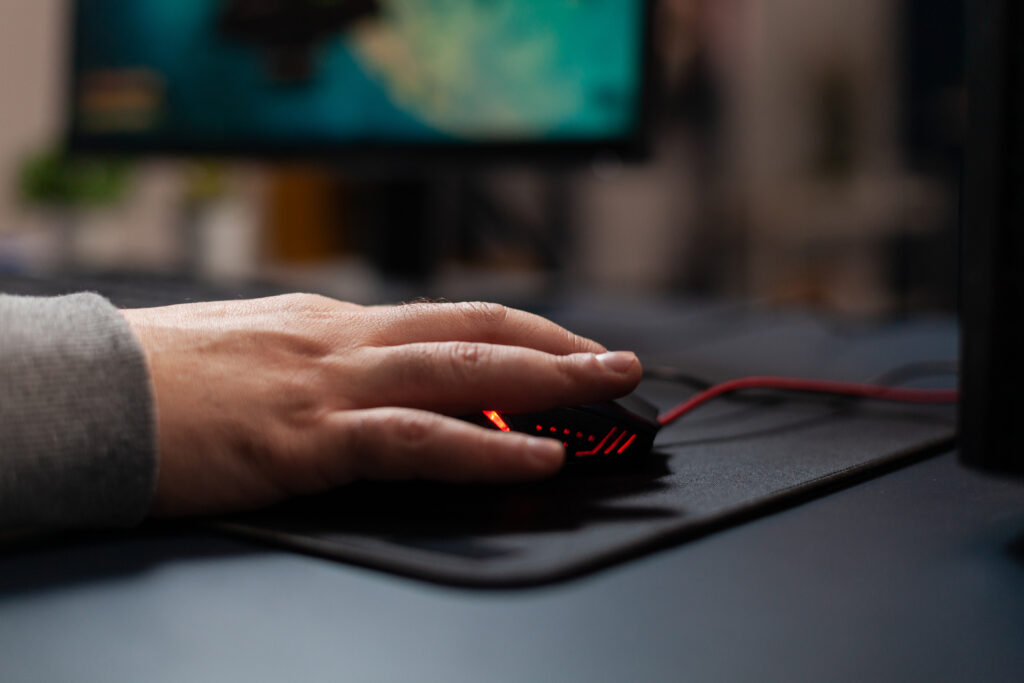
Many gamers spend hundreds of dollars on a high-performance gaming mouse but overlook one accessory that can dramatically improve accuracy and consistency—the gaming mouse pad.
A quality gaming mouse pad does much more than protect your desk. It provides a consistent tracking surface, improves sensor performance, enhances control, and allows smoother movements during fast-paced gameplay. Whether you’re competing in FPS games, exploring open-world RPGs, or climbing the ranks in MOBAs, choosing the right mouse pad can noticeably improve your experience.
In this guide, we’ll review the best gaming mouse pads available today, compare their strengths and weaknesses, and help you choose the perfect one for your setup.
Why a Gaming Mouse Pad Matters
Unlike standard office mouse pads, gaming mouse pads are specifically engineered for modern optical and laser sensors. They feature premium materials and specialized surfaces designed for precision tracking.
Benefits include:
- More accurate mouse tracking
- Consistent glide
- Better stopping power
- Reduced wrist fatigue
- Longer lifespan for mouse feet
- Enhanced comfort during long gaming sessions
Even the best gaming mouse cannot perform at its full potential without a quality surface underneath it.
How We Chose the Best Gaming Mouse Pads
To build this list, we evaluated every mouse pad based on several important factors:
- Tracking accuracy
- Surface consistency
- Build quality
- Comfort
- Durability
- Size options
- Ease of cleaning
- Value for money
These criteria ensure every recommendation delivers excellent real-world performance.
Best Gaming Mouse Pads Reviewed
1. SteelSeries QcK Heavy
Pros
- Exceptional control
- Thick cushioning
- Highly durable
- Excellent value
Cons
- Cloth surface attracts dust
- Slower than speed-focused pads
The SteelSeries QcK Heavy has remained one of the most trusted gaming mouse pads for years. Its thick rubber base prevents movement while providing outstanding comfort during marathon gaming sessions.
The micro-woven cloth surface delivers excellent stopping power, making it especially popular among competitive FPS players.
Best For: Tactical shooters like Valorant and Counter-Strike.
2. Logitech G840 XL
Pros
- Massive desk-sized design
- Smooth surface
- Stable rubber base
- Great sensor compatibility
Cons
- Requires significant desk space
- Slightly expensive
The Logitech G840 XL is designed for gamers who prefer low DPI settings and wide arm movements. Its oversized design allows both the keyboard and mouse to sit on the same surface, creating a cleaner and more stable setup.
Tracking remains consistent across the entire pad, making it ideal for competitive gaming.
Best For: Large gaming desks.
3. Razer Gigantus V2
Pros
- Affordable
- Multiple size options
- Balanced glide
- Durable construction
Cons
- No RGB lighting
- Thin compared to premium models
The Razer Gigantus V2 offers one of the best price-to-performance ratios on the market.
Its textured cloth surface provides an excellent balance between speed and control, making it suitable for virtually every gaming genre.
The anti-slip rubber base ensures the pad stays firmly in place during intense gameplay.
Best For: Gamers on a budget.
4. Corsair MM350 Champion Series
Pros
- Spill-resistant coating
- Comfortable thickness
- Smooth glide
- Durable stitched edges
Cons
- Slightly firmer feel
- Limited color choices
Corsair’s MM350 Champion Series is designed for players who want long-lasting performance.
The protective coating helps resist accidental spills while maintaining a smooth tracking surface.
The stitched edges reduce fraying, significantly extending the lifespan of the pad.
Best For: Everyday competitive gaming.
5. Artisan Hien
Pros
- Professional-grade performance
- Outstanding durability
- Fast glide
- Premium craftsmanship
Cons
- Premium price
- Limited availability
Among esports enthusiasts, the Artisan Hien has earned an almost legendary reputation.
Manufactured in Japan, it offers one of the most consistent tracking surfaces available today. Its hybrid texture delivers exceptional speed without sacrificing control.
Although expensive, many competitive players consider it the ultimate gaming mouse pad.
Best For: Serious competitive gamers.
Soft vs Hard Gaming Mouse Pads
Choosing between soft and hard surfaces depends largely on your gaming style.
Soft Mouse Pads
Advantages:
- Better control
- More comfortable
- Quieter movement
- Ideal for FPS games
Disadvantages:
- Slightly slower glide
- Can wear over time
Hard Mouse Pads
Advantages:
- Faster movement
- Easy to clean
- Extremely durable
Disadvantages:
- Less forgiving
- Can wear mouse skates faster
Most gamers prefer cloth mouse pads because they provide a better balance between speed and control.
What Size Gaming Mouse Pad Should You Buy?
Gaming mouse pads are available in several sizes.
Small
Best for:
- High DPI gamers
- Compact desks
Medium
Best for:
- General gaming
- Everyday use
Large
Best for:
- Low sensitivity players
- FPS games
Extended (Desk Mats)
Best for:
- Full gaming setups
- Keyboard and mouse
- Streamers
If you regularly lower your in-game sensitivity, an extended mouse pad is usually the better investment.
Features to Look for Before Buying
When shopping for the best gaming mouse pads, consider these features:
Surface Type
Choose between speed-focused and control-focused surfaces.
Thickness
Thicker pads provide better wrist comfort and desk cushioning.
Stitched Edges
Prevent fraying and extend lifespan.
Rubber Base
Keeps the pad securely in place.
Water Resistance
Protects against spills and simplifies cleaning.
Easy Maintenance
Washable surfaces remain cleaner and last longer.
How to Clean a Gaming Mouse Pad
Regular cleaning helps maintain smooth tracking.
- Fill a sink with warm water.
- Add mild soap.
- Gently scrub with a soft cloth.
- Rinse thoroughly.
- Air dry completely before use.
Avoid harsh chemicals that may damage the surface coating.
Final Verdict
The best gaming mouse pads combine comfort, precision, durability, and reliable tracking. While every gamer has different preferences, investing in a quality mouse pad can significantly improve consistency and overall gaming performance.
If you want the best all-around option, the SteelSeries QcK Heavy continues to stand out thanks to its exceptional control, comfort, and value. Gamers looking for maximum speed may prefer the Artisan Hien, while budget-conscious buyers will appreciate the excellent performance of the Razer Gigantus V2.
No matter which model you choose, pairing your gaming mouse with the right surface is one of the simplest upgrades you can make to enhance your gameplay.


