
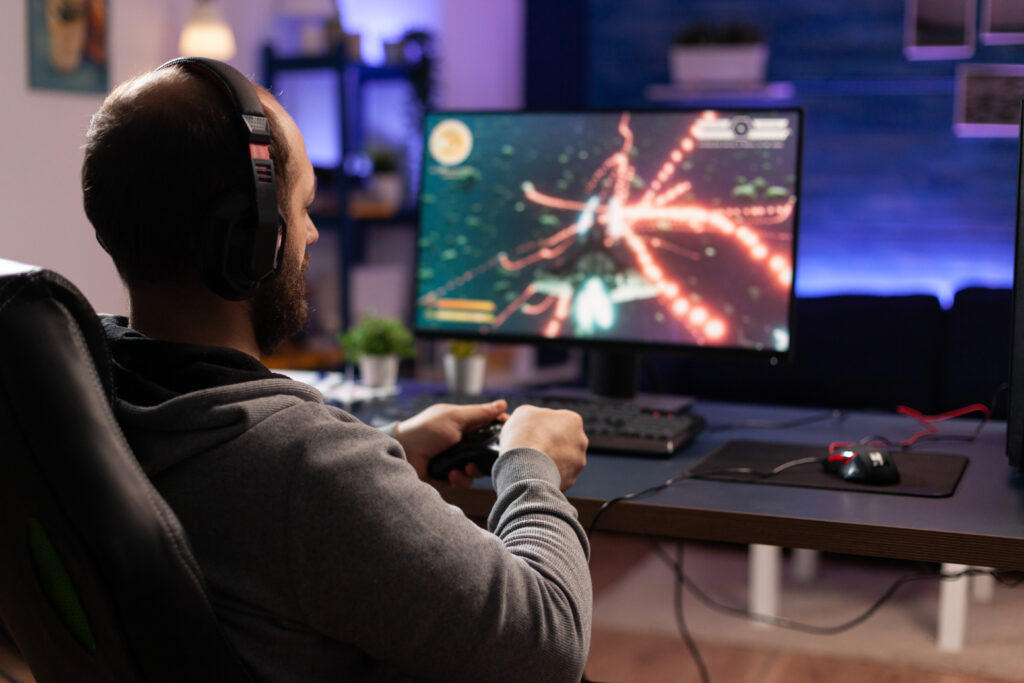
Finding the best computer for gaming is no longer as simple as choosing the PC with the most powerful graphics card. Modern gamers expect more: high frame rates, fast loading times, excellent visuals, quiet operation, and enough performance for streaming, video editing, and other demanding workloads.
Whether you are building a gaming setup from scratch or replacing an older desktop, the right computer should match the games you play, your monitor resolution, and the other tasks you plan to handle.
In this guide, we’ve rounded up some of the best gaming computers available for different budgets and priorities. From powerful high-end desktops designed for 4K gaming to more affordable options for 1080p players, there is a PC here for almost every type of gamer.
Table of Contents
- Best Computer for Gaming at a Glance
- 1. Alienware Aurora — Best Computer for Gaming Overall
- 2. ASUS ROG G700 — Best Computer for Gaming (High_ End PC)
- 3. Corsair Vengeance — Best Computer for Gaming (for Enthusiasts)
- 4. Lenovo Legion Tower — Best Computer for Gaming (for Value)
- 5. HP Omen — Best Computer for Gaming (for Productivity)
- 6. Acer Predator Orion — Best for Competitive Gaming
- 7. MSI Aegis — Best Gaming PC for Smaller Setups
- 8. NZXT Player PC — Best Gaming PC for First-Time Buyers
- 9. CyberPowerPC Gamer Xtreme — Best Budget Gaming Computer
- 10. Skytech Chronos — Best Gaming PC for Customization
- How to Choose the Best Computer for Gaming
- Final Verdict: Which Is the Best Computer for Gaming?
Best Computer for Gaming at a Glance
| Gaming PC | Best For | Key Strength |
| Alienware Aurora | Overall performance | Powerful hardware and distinctive design |
| ASUS ROG G700 | High-end gaming | Excellent performance for demanding games |
| Corsair Vengeance | Enthusiasts | Strong components and upgrade potential |
| Lenovo Legion Tower | Value | Excellent balance of price and performance |
| HP Omen | Versatility | Gaming, productivity, and content creation |
| Acer Predator Orion | Competitive gaming | High frame rates and powerful GPUs |
| MSI Aegis | Compact setups | Performance in a distinctive chassis |
| NZXT Player PC | First-time PC gamers | Clean design and straightforward setup |
| CyberPowerPC Gamer Xtreme | Budget gaming | Strong 1080p performance |
| Skytech Chronos | Customization | Wide range of configurations |
1. Alienware Aurora — Best Computer for Gaming Overall
Alienware has built a strong reputation among PC gamers, and the Aurora remains one of the brand’s most recognizable gaming desktops.
Its biggest advantage is the combination of powerful components, distinctive styling, and a relatively straightforward setup. Depending on the configuration, you can find Aurora systems equipped with modern Intel or AMD processors, dedicated NVIDIA or AMD graphics, fast NVMe storage, and plenty of RAM.
For gamers who want to play demanding AAA titles at high settings, a configuration with a higher-end GPU is the better choice. It also gives you additional headroom for streaming, recording gameplay, and editing video.
The Aurora is particularly appealing if you want a gaming PC that looks like a gaming PC without having to build one yourself.
Best for: Gamers who want a powerful prebuilt desktop with a recognizable design.
Pros:
- Strong gaming performance
- Multiple configuration options
- Distinctive design
- Good choice for gaming and streaming
Cons:
- Higher configurations can become expensive
- Some components may be less flexible than those in a custom-built PC
2. ASUS ROG G700 — Best Computer for Gaming (High_ End PC)
If maximum gaming performance is your priority, ASUS ROG desktops deserve a place near the top of your list.
High-end ROG systems can be configured with powerful CPUs and flagship-class graphics cards designed for demanding 1440p and 4K gaming. They are also well suited to gamers who stream, edit videos, create 3D content, or run several demanding applications at the same time.
The extra performance is especially valuable if you own a high-refresh-rate monitor or a 4K display. Instead of buying a computer that just meets today’s requirements, a high-end configuration gives you more breathing room for future games.
Of course, that performance comes at a price. These systems are aimed at enthusiasts who are willing to spend more for premium hardware.
Best for: Enthusiast gamers who want excellent 1440p or 4K performance.
Pros:
- Exceptional performance
- Premium hardware configurations
- Excellent for gaming and content creation
- Suitable for high-refresh-rate displays
Cons:
- Expensive
- Overkill for casual 1080p gaming
3. Corsair Vengeance — Best Computer for Gaming (for Enthusiasts)
Corsair is well known for its gaming components and peripherals, but its prebuilt Vengeance desktops bring that expertise into complete systems.
These PCs are designed for gamers who care about more than raw frame rates. Strong processors, powerful GPUs, fast memory, and modern cooling systems make them capable machines for gaming, streaming, video editing, and other demanding workloads.
Another advantage is the attention to component quality. Gamers who eventually want to upgrade their system may appreciate having a desktop built around widely available PC components rather than a highly proprietary design.
For enthusiasts who want the convenience of a prebuilt without giving up too much flexibility, the Vengeance is an attractive option.
Best for: PC enthusiasts who want powerful hardware and upgrade potential.
4. Lenovo Legion Tower — Best Computer for Gaming (for Value)
Not everyone needs a $2,000-plus gaming desktop. For many players, the sweet spot is a computer that delivers excellent 1080p and 1440p performance without wasting money on hardware they will never use.
That is where Lenovo’s Legion Tower lineup stands out.
Depending on the configuration, Legion Tower systems can provide a strong combination of CPU and GPU performance, fast storage, and enough memory for modern games. The understated design is also a nice change from gaming desktops covered in aggressive RGB lighting.
For students, casual gamers, and anyone building a gaming setup on a sensible budget, the Legion Tower can offer an appealing balance between performance and price.
Best for: Gamers looking for strong performance without paying for unnecessary premium hardware.
Pros:
- Good performance-to-price ratio
- Clean design
- Multiple configurations
- Suitable for mainstream gaming
Cons:
- Configuration quality varies
- Some entry-level models may have limited upgrade headroom
5. HP Omen — Best Computer for Gaming (for Productivity)
A gaming computer can also be your everyday work machine. If you want a desktop that handles games after work and productivity tasks during the day, the HP Omen family is worth considering.
Omen desktops are available with a range of processors and dedicated graphics cards, allowing buyers to choose a system that fits their budget and workload.
A well-equipped Omen can handle demanding games while also providing enough performance for photo editing, video production, multitasking, and streaming.
Its relatively clean styling also makes it suitable for an office or home workspace where you don’t necessarily want an extremely flashy gaming setup.
Best for: Gamers who also use their PC for work and creative tasks.
6. Acer Predator Orion — Best for Competitive Gaming
Competitive gamers have different priorities from someone who mainly plays single-player AAA games. High frame rates, responsive performance, and low latency can matter more than ultra-high graphical settings.
Acer’s Predator Orion desktops are built with performance-focused hardware that can deliver the high frame rates competitive gaming demands.
With the right configuration and monitor, a Predator Orion can be an excellent choice for games such as Counter-Strike 2, Valorant, Fortnite, Overwatch 2, and other fast-paced titles.
The important thing is to match the PC to your monitor. There is little benefit in buying a system capable of extremely high frame rates if you are using a 60Hz display.
Best for: Competitive gamers who prioritize high frame rates.
7. MSI Aegis — Best Gaming PC for Smaller Setups
Gaming desktops can take up a surprising amount of desk space. If you have a smaller gaming area, a more compact design can make a big difference.
MSI’s Aegis lineup combines gaming-focused hardware with distinctive chassis designs that can work well in setups where space is limited.
Depending on the model, you can get powerful processors, dedicated graphics, fast SSD storage, and plenty of memory without moving to an enormous full-tower case.
Before buying, however, check the exact dimensions of the system and make sure it fits your desk or gaming area.
Best for: Gamers who want strong performance without a huge desktop tower.
8. NZXT Player PC — Best Gaming PC for First-Time Buyers
Building a gaming PC can be rewarding, but it is not for everyone. If you would rather avoid selecting individual components, installing hardware, and troubleshooting compatibility issues, a prebuilt system is much easier.
NZXT’s Player PCs are designed with simplicity in mind. Their clean aesthetics also appeal to gamers who prefer a modern setup without excessive visual clutter.
The biggest advantage for first-time buyers is convenience. You get a complete system that is ready to connect to a monitor, keyboard, mouse, and network.
Best for: First-time PC gamers who want a clean, easy-to-use prebuilt system.
9. CyberPowerPC Gamer Xtreme — Best Budget Gaming Computer
A limited budget does not mean you have to give up PC gaming.
CyberPowerPC’s Gamer Xtreme series offers configurations aimed at gamers who want to enter the PC gaming market without spending high-end money.
For budget buyers, the most important thing is choosing the right GPU. A balanced system with a capable graphics card can deliver a much better gaming experience than a PC that spends too much of its budget on the processor while using weak graphics hardware.
A budget gaming computer is particularly suitable for 1080p gaming, where you can achieve smooth performance without needing flagship components.
Best for: Budget-conscious gamers and beginners.
Pros:
- Accessible price points
- Good option for 1080p gaming
- Ready to use out of the box
- Multiple configurations
Cons:
- Entry-level models may struggle with demanding 1440p or 4K gaming
- Upgrade options depend on the configuration
10. Skytech Chronos — Best Gaming PC for Customization
Skytech is another popular option for gamers who want the convenience of a prebuilt computer while still having a broad selection of hardware configurations.
The Chronos lineup includes systems designed for everything from mainstream gaming to demanding high-resolution gameplay.
One of its main attractions is the variety of available configurations. You can select a system based on your desired GPU, processor, memory, and storage instead of settling for a single fixed specification.
That makes the Chronos particularly interesting for buyers who already know what level of performance they need.
Best for: Gamers who want more choice when selecting their hardware configuration.
How to Choose the Best Computer for Gaming
The best computer for gaming depends heavily on your games, monitor, budget, and other workloads. Before buying, pay attention to these components.
Graphics Card
The GPU is arguably the most important component for gaming performance. It handles the majority of the graphical workload, including rendering game worlds, lighting, textures, and visual effects.
If you primarily play at 1080p, a mid-range GPU may be sufficient. Gamers targeting 1440p should consider stepping up to a more capable graphics card, while 4K gaming generally benefits from significantly stronger hardware.
Ray tracing and AI-based upscaling technologies can also influence your choice, particularly if you want advanced lighting effects without sacrificing frame rates.
Processor
The CPU affects gaming performance, system responsiveness, and workloads such as video editing and streaming.
Modern AMD Ryzen and Intel Core processors can both provide excellent gaming performance. For most gamers, spending more on a top-tier CPU is not worthwhile if it means compromising on the graphics card.
A balanced CPU-GPU combination is usually the smarter investment.
RAM
For a modern gaming PC, 16GB of RAM is a reasonable starting point, while 32GB provides additional headroom for demanding games, streaming, content creation, and multitasking.
If you regularly keep a browser, Discord, recording software, and other applications open while gaming, extra memory can make the system feel smoother.
Storage
An SSD should be considered essential for a modern gaming computer. NVMe SSDs provide fast load times and make Windows and applications feel considerably more responsive than older mechanical hard drives.
Capacity matters, too. Modern games can consume a significant amount of storage, so a 1TB SSD is a practical starting point for many gamers.
If you have a large game library, consider 2TB or more.
Cooling
Powerful hardware produces heat. A good cooling system helps maintain stable performance and can reduce the likelihood of thermal throttling.
Don’t choose a gaming PC based solely on its CPU and GPU specifications. Look at the overall cooling design, airflow, and case layout as well.
Upgradeability
A gaming PC should ideally last for several years, but your needs may change. Upgradeable components can extend the useful life of your system.
Before buying a prebuilt, check whether you can easily upgrade the RAM, storage, graphics card, and power supply. Some compact or proprietary systems offer less flexibility than standard desktop PCs.

Final Verdict: Which Is the Best Computer for Gaming?
The best computer for gaming depends on how and where you play.
A powerful Alienware Aurora or ASUS ROG desktop makes sense for gamers who want high-end performance, while the Lenovo Legion Tower and CyberPowerPC Gamer Xtreme can be better choices for buyers who want to keep costs under control. Meanwhile, systems such as the Corsair Vengeance and HP Omen are appealing for gamers who also use their computers for demanding creative workloads.
Before buying, focus on the GPU first, then make sure the CPU, RAM, storage, cooling, and power supply are appropriately matched to it. Most importantly, buy for the resolution and games you actually play rather than paying extra for specifications you will never use.
A well-balanced gaming PC can deliver excellent performance for years, making it a much better investment than simply choosing the computer with the biggest numbers on the box.


