
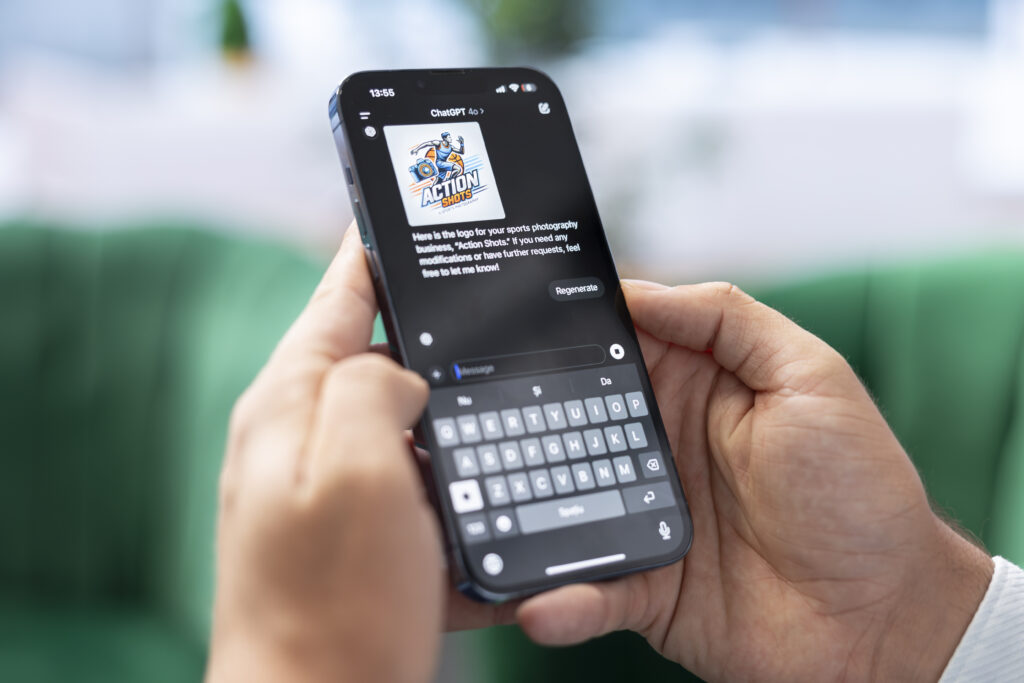
Artificial intelligence has become an essential part of everyday smartphone use. From writing emails and editing photos to generating artwork and organizing your schedule, the best AI apps for iPhone can help you save time while improving the quality of your work.
The App Store now offers hundreds of AI-powered applications, but not all of them are worth your storage space—or your money. Some excel at productivity, while others focus on creativity, learning, or entertainment.
To help you choose the right one, we’ve carefully selected the 15 best AI apps for iPhone based on features, ease of use, pricing, privacy, and overall value.
Let’s dive in.
Table of Contents
- 1. ChatGPT
- 2. Google Gemini
- 3. Microsoft Copilot
- 4. Perplexity AI
- 5. Grammarly
- 6. Canva
- 7. Adobe Express
- 8. Lensa AI
- 9. Photomator
- 10. Notion AI
- 11. Otter.ai
- 12. Duolingo Max
- 13. ELSA Speak
- 14. Remini
- 15. ElevenLabs Reader
- How to Choose the Best AI App for iPhone
- Are AI Apps Safe on iPhone?
- Free vs. Paid AI Apps
- Final Thoughts
1. ChatGPT
Best for: Writing, brainstorming, coding, learning, and everyday questions
ChatGPT continues to dominate the AI landscape thanks to its versatility. Whether you’re drafting emails, summarizing documents, generating ideas, solving coding problems, or planning a vacation, it handles nearly every task with impressive accuracy.
Key Features
- Natural conversations
- Image understanding
- Voice conversations
- Writing assistance
- Coding support
- Research summaries
- Translation
- Personalized AI memory
Pros
- Extremely versatile
- Clean interface
- Fast responses
- Excellent writing quality
- Great free version
Cons
- Premium features require a subscription
Price: Free with optional premium plan
2. Google Gemini
Best for: Google Workspace users
Google Gemini integrates seamlessly with Google’s ecosystem, making it ideal for users who rely on Gmail, Google Docs, Sheets, and Drive.
It excels at summarizing documents, answering complex questions, generating content, and assisting with productivity tasks.
Key Features
- Deep Google integration
- AI image generation
- Long-context conversations
- Real-time information
- Voice interaction
Pros
- Great search capabilities
- Excellent research assistant
- Strong productivity tools
Cons
- Works best inside Google’s ecosystem
3. Microsoft Copilot
Best for: Office productivity
Microsoft Copilot transforms Word, Excel, PowerPoint, and Outlook into AI-powered productivity tools.
If you frequently use Microsoft 365, Copilot becomes an invaluable assistant for drafting reports, analyzing spreadsheets, and creating presentations.
Highlights
- AI writing
- Excel analysis
- PowerPoint generation
- Email drafting
- Image generation
Pros
- Perfect for professionals
- Excellent Microsoft integration
Cons
- Best features require Microsoft 365
4. Perplexity AI
Best for: AI-powered search
Unlike traditional chatbots, Perplexity focuses on providing accurate answers backed by reliable sources.
Instead of simply generating text, it cites references, making it ideal for students, journalists, and researchers.
Why You’ll Love It
- Source citations
- Fast research
- Accurate summaries
- Web search integration
- Follow-up conversations
Pros
- Highly reliable
- Great for fact-checking
Cons
- Some advanced models require Pro
5. Grammarly
Best for: Writing and grammar correction
Grammarly has evolved into a full AI writing assistant.
Beyond grammar checking, it now helps rewrite sentences, adjust tone, generate content, and improve clarity.
Features
- Grammar correction
- Tone detection
- AI rewriting
- Email assistance
- Writing suggestions
Pros
- Works across many apps
- Easy to use
Cons
- Premium plan unlocks most AI features
6. Canva
Best for: Social media content creation
Canva combines graphic design with AI tools that simplify content creation.
You can generate images, presentations, social media posts, logos, videos, and marketing materials directly from your iPhone.
AI Features
- Magic Design
- AI image generation
- Background remover
- Magic Write
- Text-to-image
Pros
- Beginner-friendly
- Huge template library
Cons
- Some AI tools are Pro-only
7. Adobe Express
Best for: Professional content creators
Adobe Express brings Adobe’s AI technology to mobile devices.
It allows users to generate marketing graphics, remove backgrounds, edit images, and create videos within minutes.
Standout Features
- AI templates
- Background removal
- Text effects
- Video editing
- Quick social content
Pros
- High-quality output
- Professional templates
Cons
- Premium subscription recommended
8. Lensa AI
Best for: AI portrait editing
Lensa became famous for its AI avatars, but today it offers much more.
Its AI can retouch portraits, enhance selfies, remove distractions, and improve image quality with just one tap.
Features
- AI avatars
- Portrait retouching
- Skin smoothing
- Background editing
- Magic erase
Pros
- Excellent selfie enhancement
- Easy editing
Cons
- Subscription required for many features
9. Photomator
Best for: AI photo enhancement
Photomator uses machine learning to automatically improve photos while preserving natural colors.
Professional photographers appreciate its intelligent editing capabilities.
Features
- AI enhancements
- Noise reduction
- Color correction
- Batch editing
- RAW support
Pros
- High-quality edits
- Beginner-friendly
Cons
- Best suited for Apple users
10. Notion AI
Best for: Productivity and note-taking
If your life revolves around notes, projects, and to-do lists, Notion AI can significantly boost your workflow.
It summarizes meetings, generates outlines, writes content, and organizes information automatically.
Features
- Meeting summaries
- AI writing
- Brainstorming
- Translation
- Task organization
Pros
- Excellent productivity assistant
- Saves hours of manual work
Cons
- AI features require a paid plan
11. Otter.ai
Best for: Meeting transcription
Otter.ai records conversations and instantly converts speech into searchable text.
It’s perfect for students, journalists, business professionals, and remote workers.
Key Features
- Live transcription
- Speaker identification
- AI summaries
- Meeting notes
- Keyword search
Pros
- Accurate transcription
- Excellent collaboration tools
Cons
- Free plan has monthly limits
12. Duolingo Max
Best for: AI language learning
Duolingo Max introduces AI-powered conversations that simulate real-life situations.
Instead of memorizing vocabulary, users practice natural communication.
Features
- AI roleplay
- Conversation practice
- Grammar explanations
- Personalized lessons
Pros
- Fun learning experience
- Interactive AI
Cons
- Max plan costs more than standard Duolingo
13. ELSA Speak
Best for: Improving English pronunciation
ELSA Speak uses AI to analyze your pronunciation and provide personalized coaching.
It identifies pronunciation mistakes and recommends targeted exercises.
Features
- Accent correction
- Speech analysis
- Daily lessons
- Progress tracking
Pros
- Highly accurate feedback
- Great for professionals
Cons
- Premium membership offers the best experience
14. Remini
Best for: Restoring old photos
Remini uses advanced AI models to sharpen blurry images and restore vintage photographs.
It can dramatically improve photo quality in seconds.
Features
- AI sharpening
- Face enhancement
- Old photo restoration
- Video enhancement
Pros
- Impressive restoration quality
- One-tap editing
Cons
- Ads in the free version
15. ElevenLabs Reader
Best for: AI text-to-speech
ElevenLabs Reader converts articles, PDFs, emails, and documents into natural-sounding audio.
Its voices are among the most realistic available today.
Features
- Human-like voices
- PDF reading
- Article narration
- Multiple languages
- Offline listening options
Pros
- Exceptional voice quality
- Great accessibility tool
Cons
- Some premium voices require payment
How to Choose the Best AI App for iPhone
With so many AI apps available, selecting the right one depends on your needs.
Consider these factors before downloading:
- Your primary use case (writing, editing, studying, or productivity)
- Free vs. paid features
- Privacy and data security
- Integration with your existing apps
- Ease of use
- Offline capabilities
- Subscription cost
- Regular updates
The best app isn’t necessarily the most expensive—it’s the one that fits your workflow.
Are AI Apps Safe on iPhone?
Most reputable AI apps available on the App Store are safe to use, especially those developed by well-known companies.
However, before granting permissions:
- Read the privacy policy.
- Avoid uploading sensitive personal information.
- Review microphone and photo access settings.
- Use strong passwords and enable two-factor authentication when available.
- Download apps only from trusted developers.
Apple’s App Store review process adds an extra layer of security, but it’s still wise to stay informed about how your data is handled.
Free vs. Paid AI Apps
Many of the best AI apps for iPhone offer generous free versions that cover everyday tasks. Paid plans typically unlock advanced AI models, faster performance, higher usage limits, and premium features such as image generation, document analysis, or expanded cloud storage.
If you’re just getting started, try the free tier first. You can always upgrade later if you find yourself using the app regularly.
Final Thoughts
The rapid evolution of artificial intelligence has transformed the iPhone into a far more capable productivity and creativity tool. Whether you need help writing documents, editing photos, organizing projects, learning a new language, or conducting research, there’s an AI app designed to make the task faster and easier.
The best AI apps for iPhone combine intelligent features with intuitive interfaces, helping users accomplish more in less time. For most people, ChatGPT is the best all-around choice thanks to its versatility, while specialized apps like Perplexity AI, Canva, Notion AI, Remini, and Otter.ai excel in their respective categories.
As AI technology continues to advance, these apps will become even more powerful, making now the perfect time to explore how they can enhance your daily workflow and unlock new levels of productivity.


